For Loxone
Add person recognition to customer installations and offer configuration and integration as a service.
Camera → Identity → Automation
FaceStream identifies known people in existing RTSP camera streams on your own hardware and sends identity events to Loxone, Home Assistant and other systems.
Start with Free. Test Pro or Business integrations with a time-limited licence on request.
Choose your system. See the use case, the requirements and the path to your first automation.
Add person recognition to customer installations and offer configuration and integration as a service.
Use your cameras as local identity sensors and build automations around the people you know.
Add identity events to selected areas of an existing IP-camera installation.
See FaceStream work
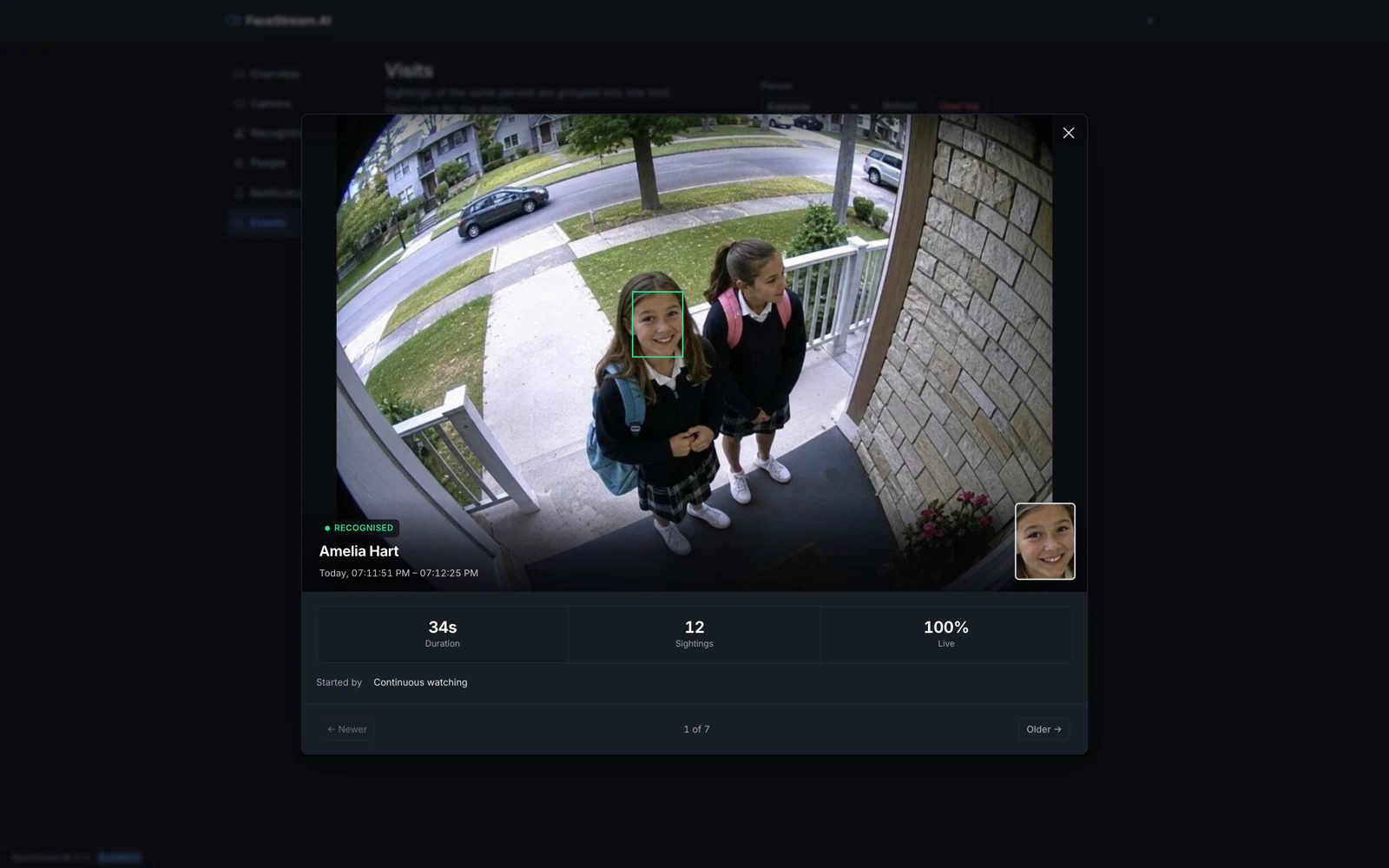
Amelia arrives with a friend. FaceStream identifies Amelia and records the second face as unknown, both at the same second.
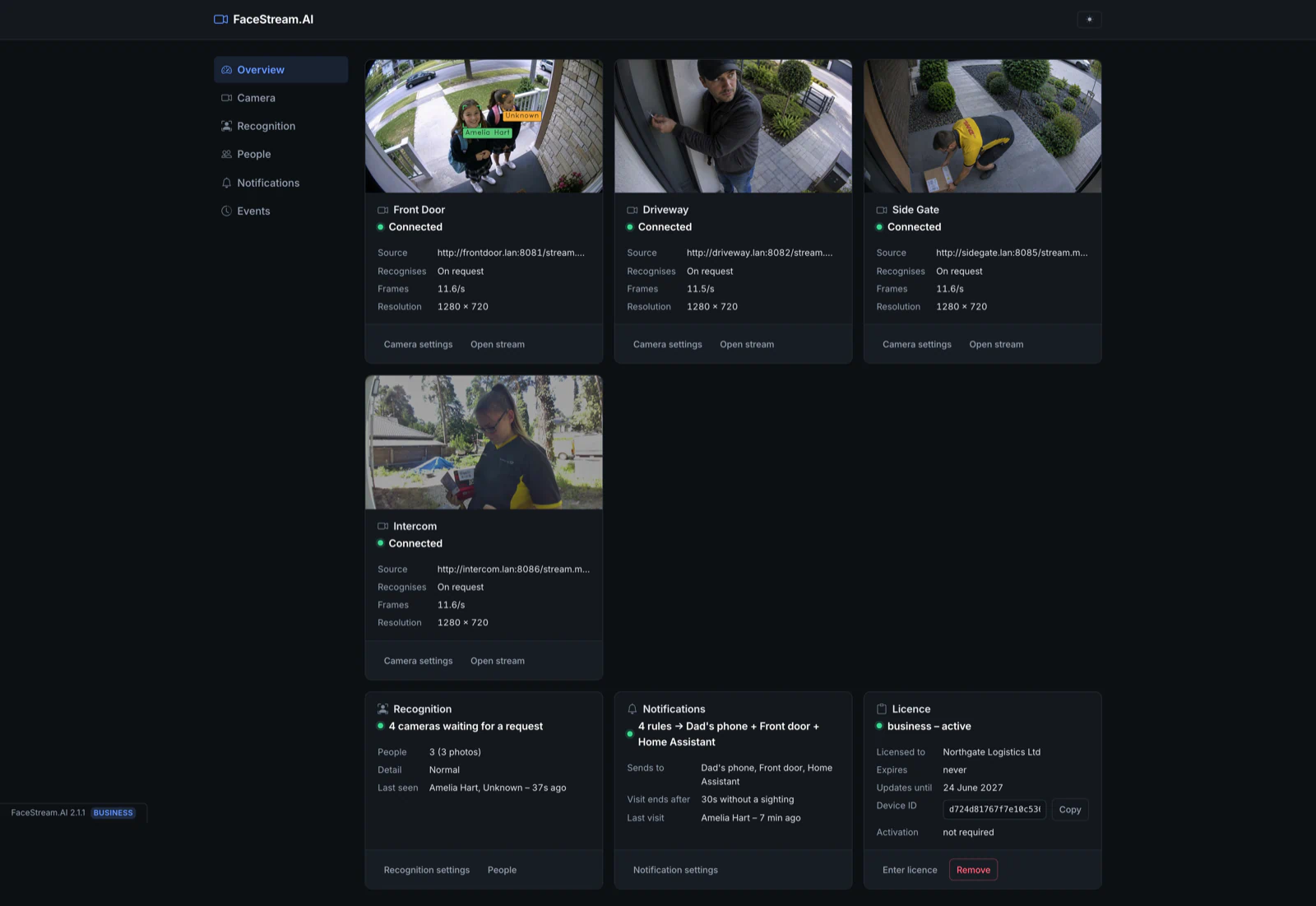
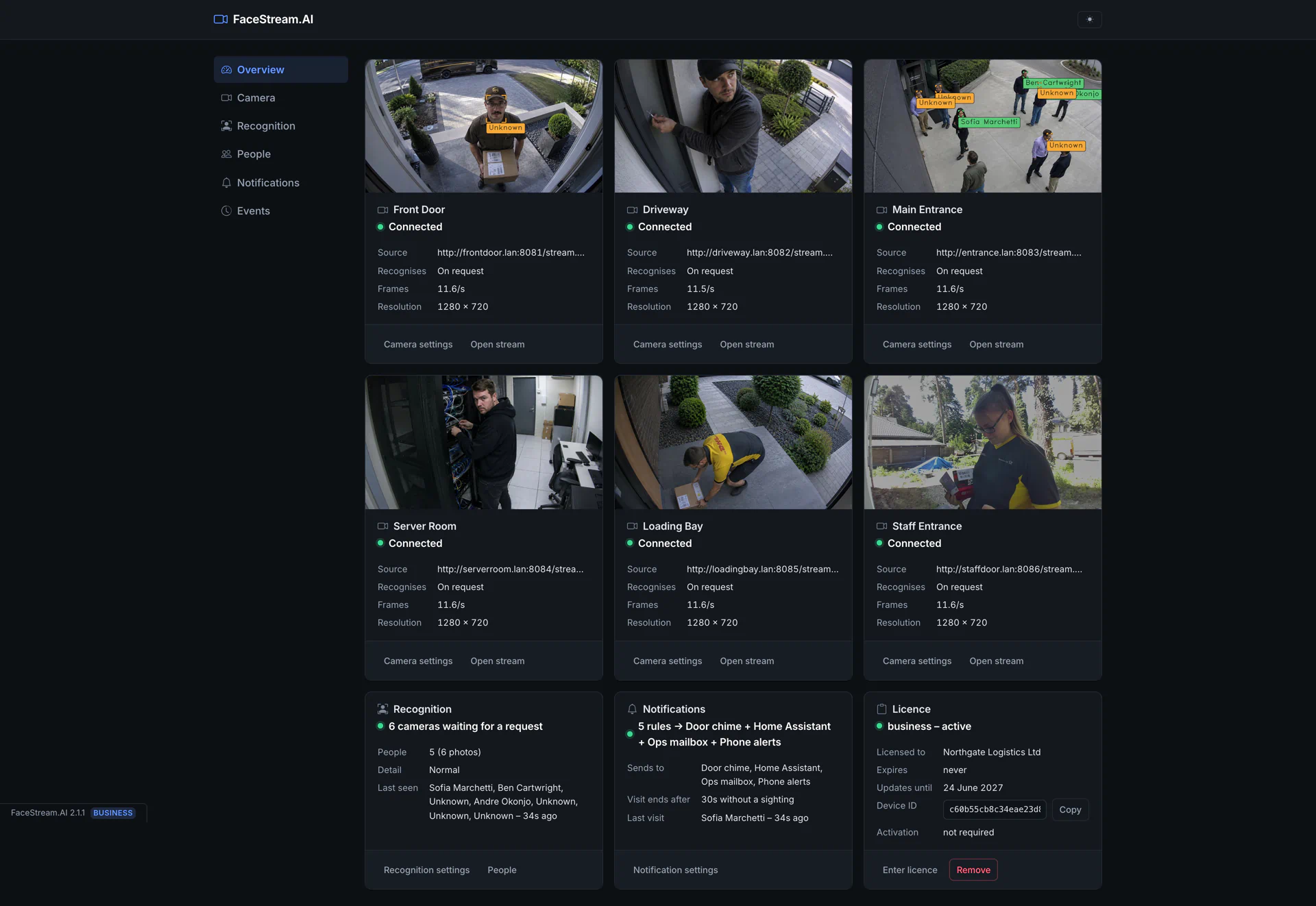
The front-door stream remains the source. FaceStream adds an identity layer without replacing the cameras already in place.
Each face becomes its own visit, with the still image, duration, number of sightings and liveness result available for review.
Same camera · same second
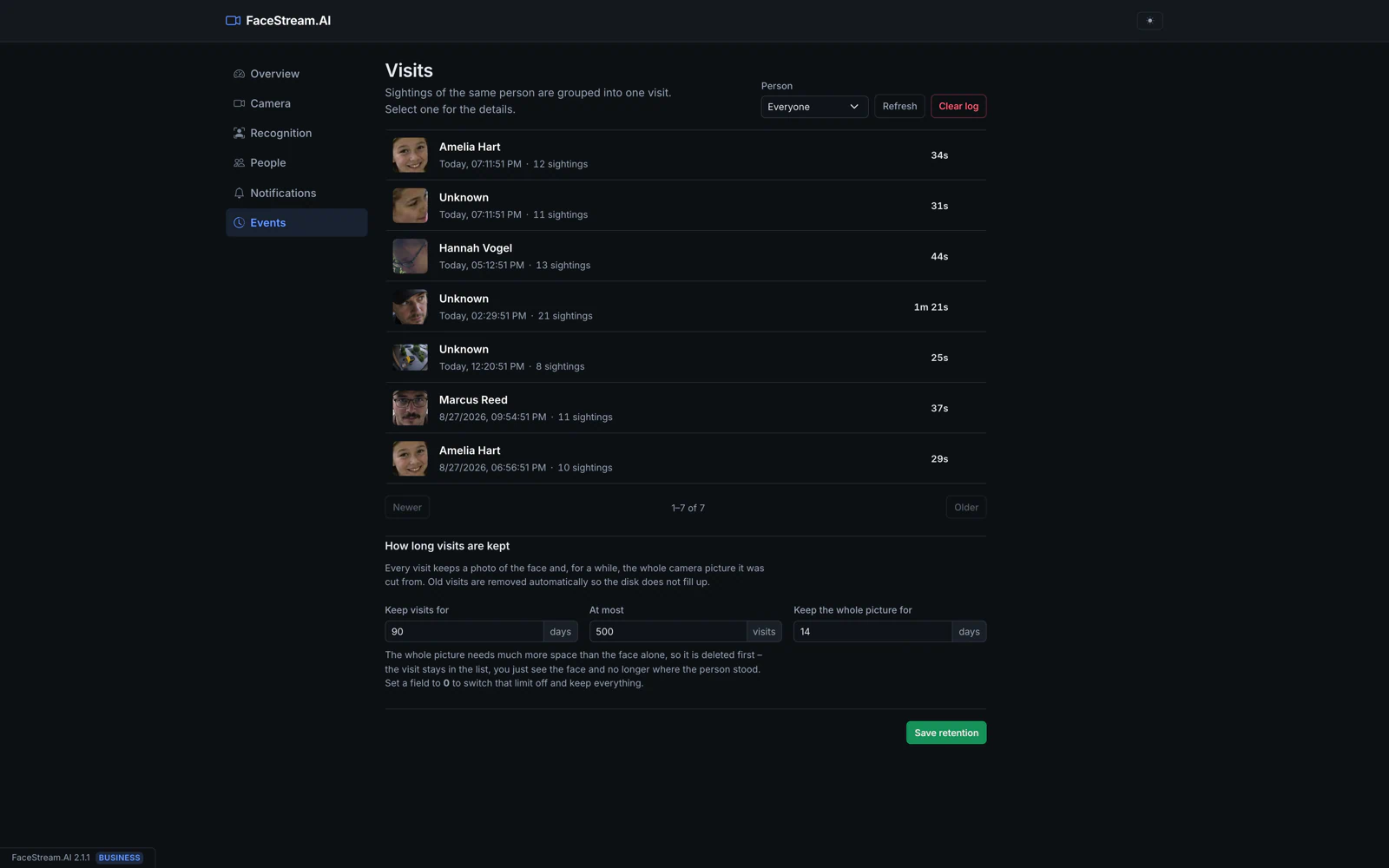
Real camera imagery. Real FaceStream interface. No concept UI.
From camera to action
FaceStream understands the camera image, evaluates your rule and communicates the event. A connected system then decides what to do.
Existing RTSP or MJPEG stream
Known or unknown, processed locally
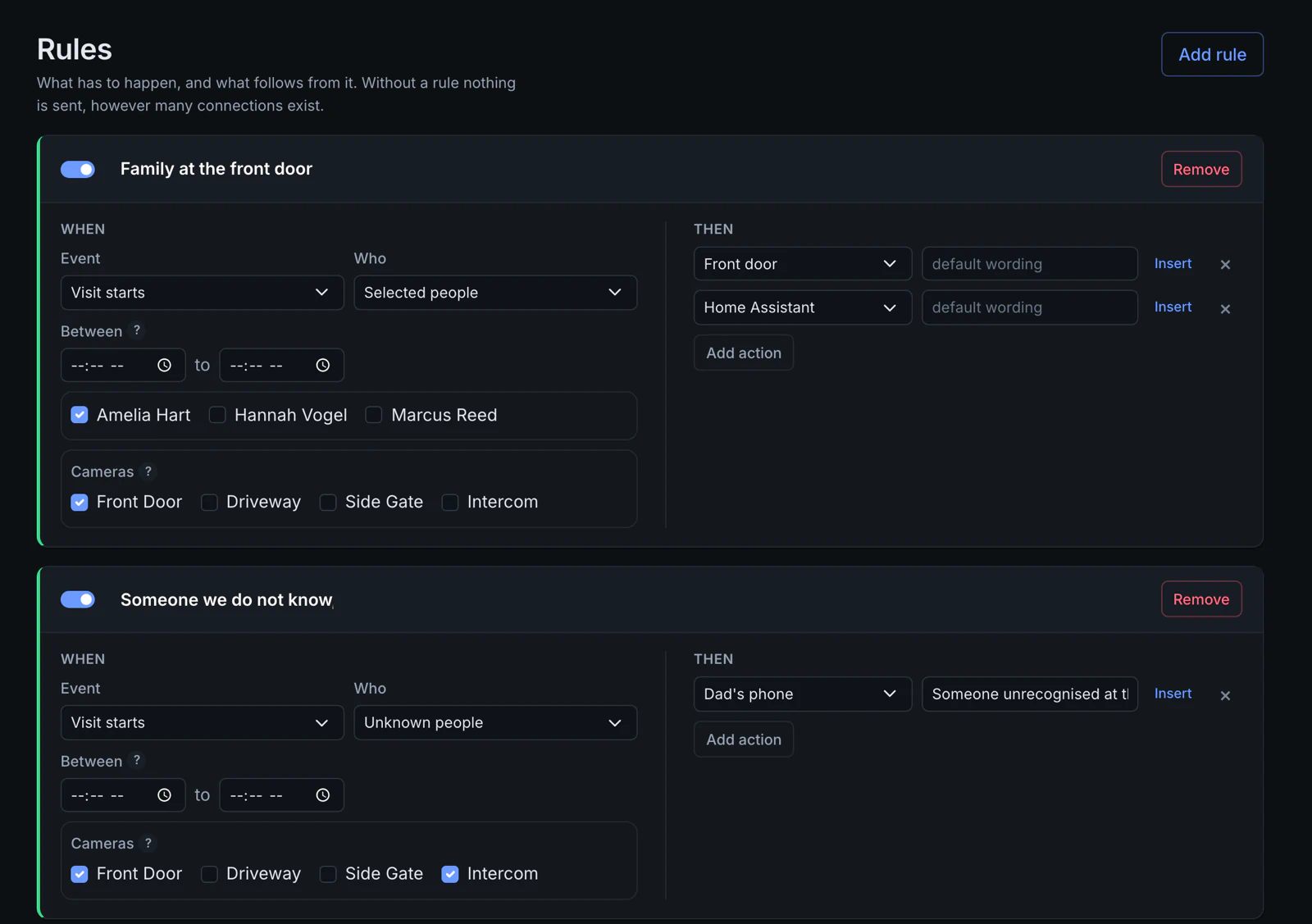
Person, camera and time window
Receives the event and may respond
In this Home scenario, Amelia’s event can be sent to Loxone while the unknown-person event produces a separate Telegram message.
FaceStream identifies and communicates. If a door, light or other device changes state, that decision belongs to the configured external automation.
One product, different environments
The same local platform can sit behind a four-camera home or a larger professionally operated site.
FaceStream.AI × Home Assistant
FaceStream.AI recognises people in your camera images and sends recognition events to Home Assistant. Your automations determine what happens next.
FaceStream.AI supports Home Assistant Discovery directly in the MQTT connection. Configure it in the FaceStream interface.
Camera images are processed locally. Face recognition runs on the CPU, without an additional GPU.
FaceStream reports the recognised person. A Home Assistant automation you configure can then start a matching lighting scene, for example.

Fits your existing stack
FaceStream.AI is not a camera and not a recorder. It adds identity between the streams you already run and the systems you already use.
Camera input
RTSP · MJPEG
Configured destinations

This list is generated from the software itself, not maintained by hand.
Local processing & data flows
FaceStream processes camera images on your own hardware. Photos, face data and visits are stored there. Connections you configure can send information to other systems.
Images are analysed on the FaceStream host. Enrolled people, event images and settings live in its data folder. Configure retention and protect that host and its backups.
Local MQTT or Loxone can keep the event path inside your network. External push or email services receive the information and images you choose to send. Home Assistant discovery sends camera events to the configured MQTT broker.
FaceStream checks for software updates. Licences that require online activation contact the licence server with licence ID, device ID, version and edition, not camera images or face data.
That may be all you need. FaceStream adds value when you want identity events from suitable camera streams to work across systems, independently of a single camera ecosystem.
See where FaceStream fitsUse an accessible RTSP or MJPEG stream and suitable local processing hardware. Home Assistant via MQTT and the dedicated Loxone connection require Pro or higher.
Check compatibilityPartners
Offer camera setup, recognition configuration and integration with the customer’s automation. Demo licences and integration support are available; partner terms are agreed individually.
Become an integration partnerSee it on your own cameras
Follow the installation guide, connect a camera and enrol a person. Then connect the system that should react.
Start with Free. Test Pro or Business integrations with a time-limited licence on request.
With your consent, we load Umami Cloud. Usage and device information is then sent to Umami Software, Inc. Umami does not set analytics cookies or track you across other websites. Learn more about privacy